Create without complexity.
Spend your time making content instead of configuring recording software. Choose your cameras and microphone, pick a layout, and start recording.
 GRAPHTON STUDIO
YOUR CAMERAS. YOUR CONTENT. YOUR CONVERSATION.
All the power of OBS Studio, made simple. Record podcasts, training videos, interviews, and presentations with multiple cameras, screen sharing, and professional audio—all from one easy-to-use Windows application.
Windows desktop application · Public installer coming soon
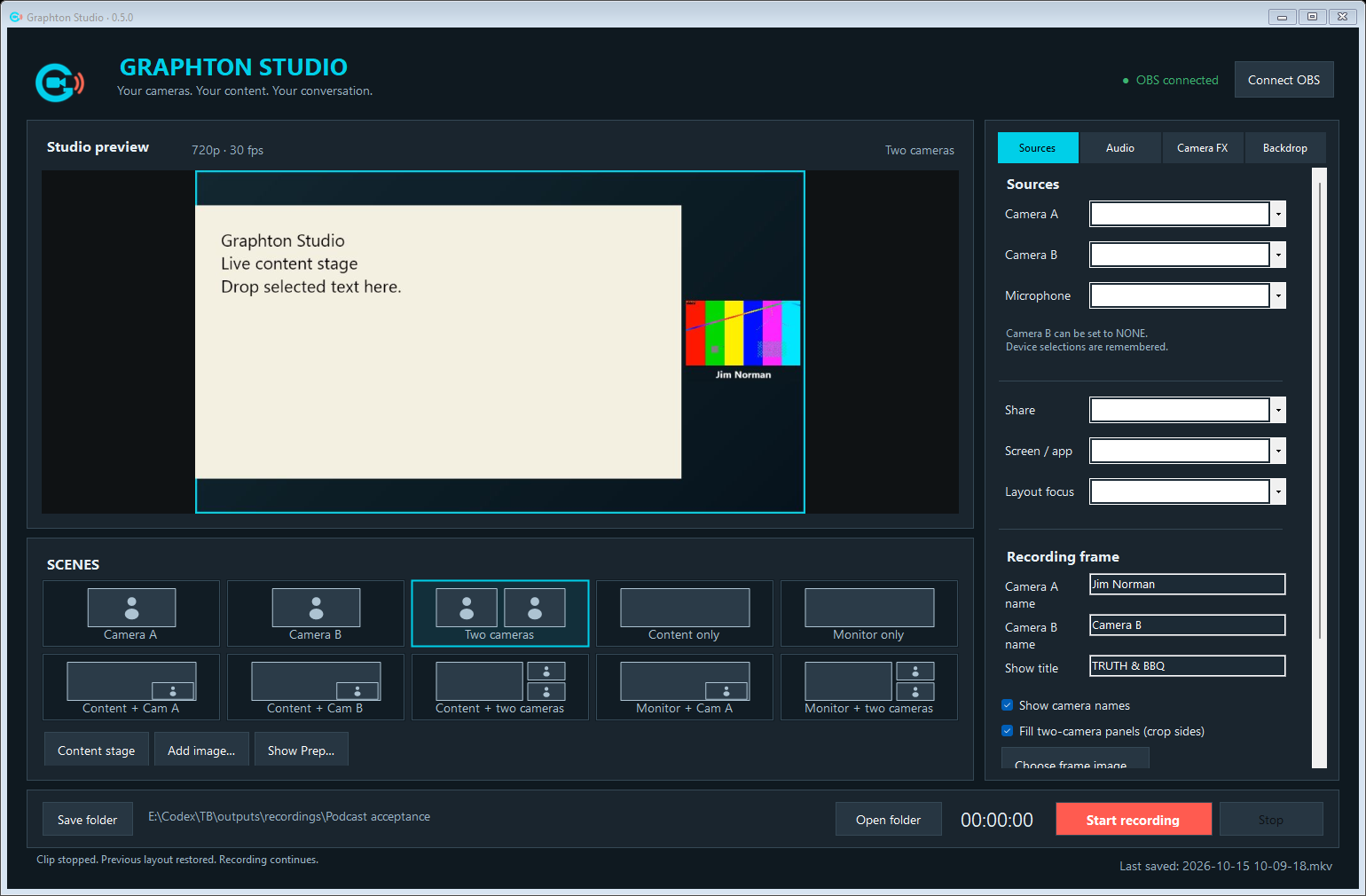
Spend your time making content instead of configuring recording software. Choose your cameras and microphone, pick a layout, and start recording.
Cameras, microphones, shared screens, and prepared video clips come together around one clear preview. Remote guests are the next step, with Connect in development.
Record locally today. Our planned Graphton Edit companion will help you finish an episode while preserving your original recordings.
Explore the planned workflow →GRAPHTON STUDIO / RECORD
Simple controls keep the production moving, whether you’re teaching a skill, sharing a presentation, or recording a conversation.
Implemented in the desktop development buildSwitch between one or two cameras, content, and a shared screen or application. Visual layout buttons make the next shot easy to find.
Adjust microphone and clip audio independently. Record separate audio tracks for later editing, alongside the audience mix.
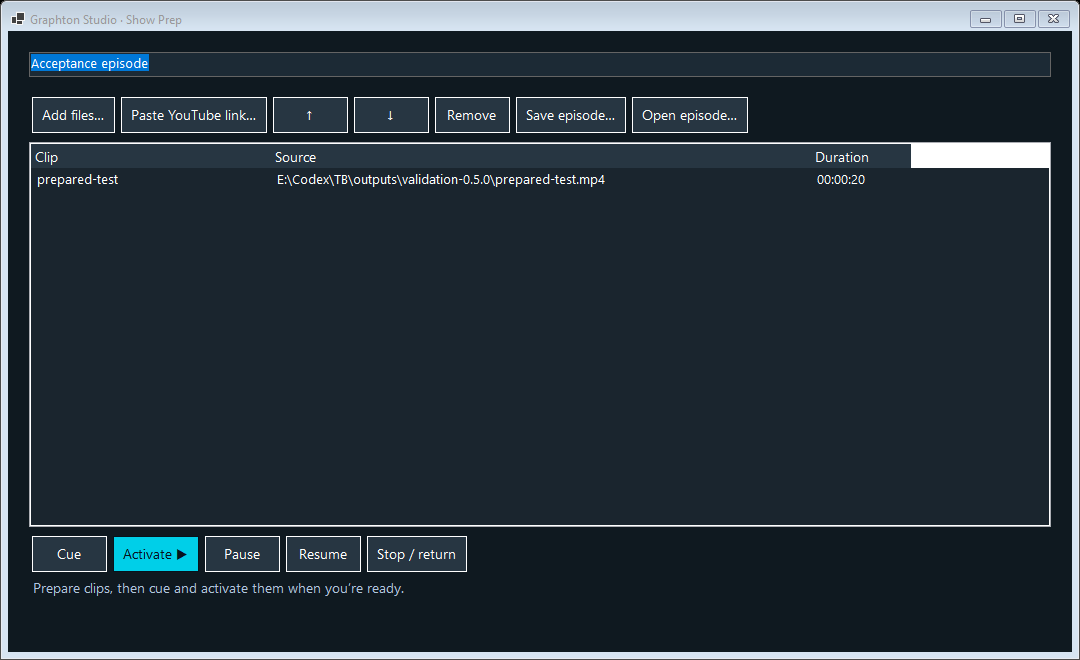
Arrange clips before you record. Bring in images and selected text, then cue your content when the moment is right.
Save locally to the folder you choose. OBS Studio handles recording on your computer; local recording doesn’t require an online service.
A LITTLE PREPARATION. MORE FLOW.
Queue the clips you want to share before the conversation begins. Play, pause, and return to your camera layout from the same application.
Screenshots show real application windows, not concept interfaces. Development builds may change before release.
ONE FAMILY. A CLEARER WORKFLOW.
Studio is where you record. Edit is where we plan to help you finish. Connect is how we’re building toward recording together.
RECORD
The Windows production workspace for your cameras, content, sound, and local recordings.
Desktop availability →EDIT
Designed to open Studio episode projects directly, so finishing a recording can be as approachable as making one.
Planned: review and trim recordings, remove mistakes, adjust separate audio tracks, and navigate episode markers. Camera-angle selection from independent feeds is a longer-term goal. These editing features are not available yet.
COLLABORATE
The goal: invite an interview guest or co-host with a link. Join through a browser or another Graphton Studio installation.
Public guest sessions and native Studio integration are not operational yet. Connect is not generally available.
THE WORKFLOW WE’RE BUILDING
The planned Studio-to-Edit workflow will keep your episode together and preserve original recordings. Direct opening in Graphton Edit is not available yet.
POWERED BY OBS STUDIO
OBS Studio is an outstanding recording and broadcasting application. Graphton Studio puts its capabilities behind a focused production interface, so you can concentrate on what you’re making.
OBS handles the recording technology. Graphton Studio simplifies the controls and manages its own recording layouts.
Meet OBS Studio ↗Graphton Studio is a separate product from Graphton Technologies. It is not an official OBS application and is not affiliated with or endorsed by the OBS Project.
YOUR NEXT RECORDING STARTS HERE
Your cameras. Your content. Your conversation.
A verified Graphton Studio installer will appear here when it is published. There is no public download available yet.
The current desktop build requires OBS Studio to be installed separately on the recording computer. The Studio package includes its own .NET runtime. Full release requirements will accompany the installer.
Get OBS Studio from the OBS Project ↗